Category: Reviews

  • iPhone Duo Review (One Month Later): Why I’m Done With Apple’s First Foldable

    iPhone Duo Review (One Month Later): Why I’m Done With Apple’s First Foldable

    Are you thinking about spending $2,000+ on Apple’s first foldable smartphone? The iPhone Duo is easily one of the most fun iPhones I’ve used in years, packing Apple’s signature build quality into a dual-screen design. However, after spending 30 days using it as my daily driver, three real-world dealbreakers convinced me to walk away.

    In this review, I’ll break down my one-month experience with the iPhone Duo—covering comfort, camera performance, app optimization, Touch ID friction, and whether it makes more sense to buy the iPhone 18 Pro instead.


    Comfort and Design: Heavy and Awkward After the iPhone Air

    Most people underestimate how much physical comfort matters until they switch between two extremes. Before moving to the iPhone Duo, I spent a year using the iPhone Air—the thinnest and lightest iPhone ever made. That lightweight form factor made every traditional phone feel like a brick afterward, making the jump to the Duo especially jarring.
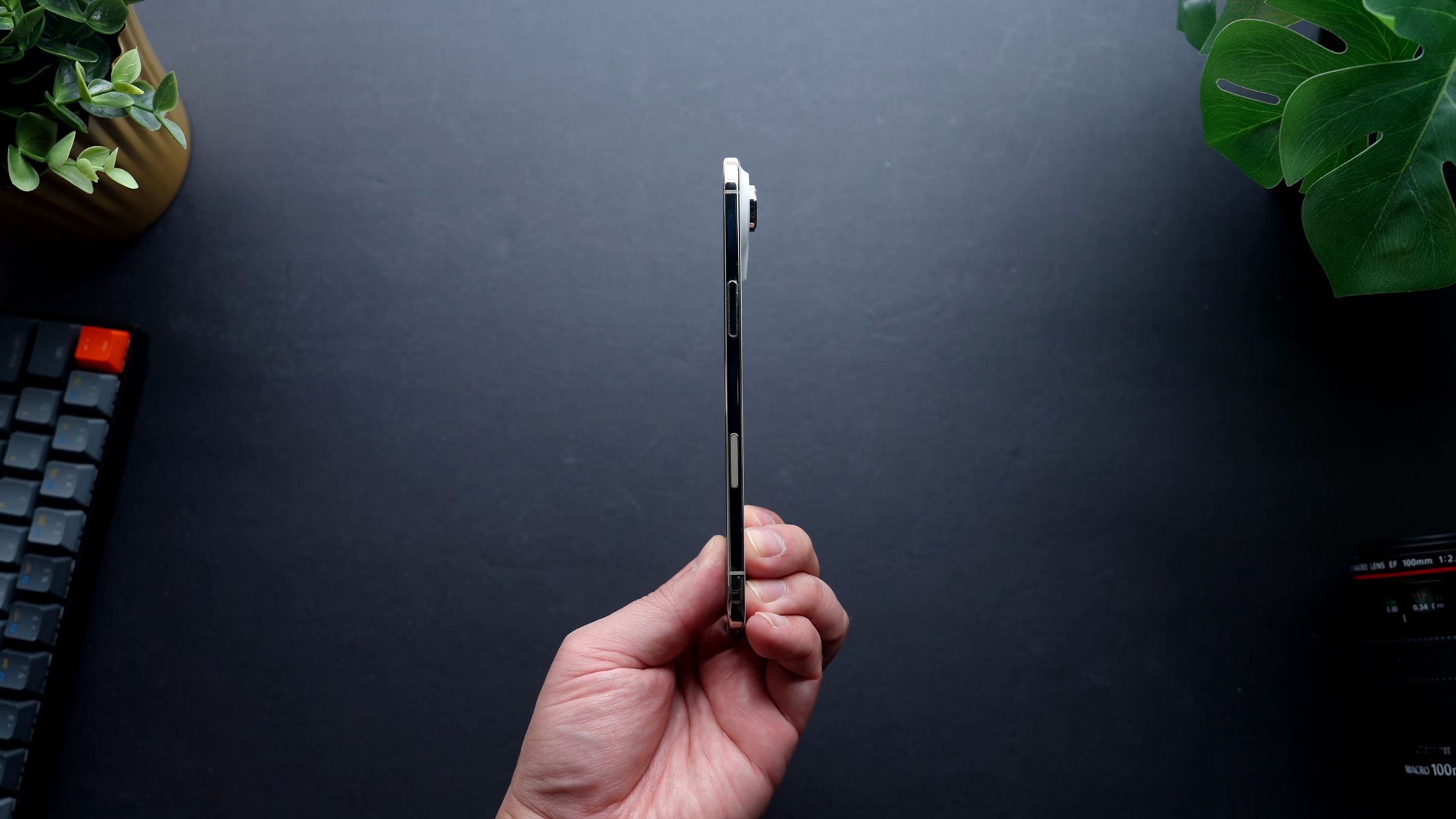
    A hand holding the thin iPhone Air in profile.
    The iPhone Air seen from the side.

    While the iPhone Duo feels undeniably premium and well-built, carrying and holding it all day quickly becomes a chore:

    • Folded use feels bulky: Because the phone is noticeably thicker, heavier, and wider than a regular iPhone, holding it one-handed while closed gets tiring fast.
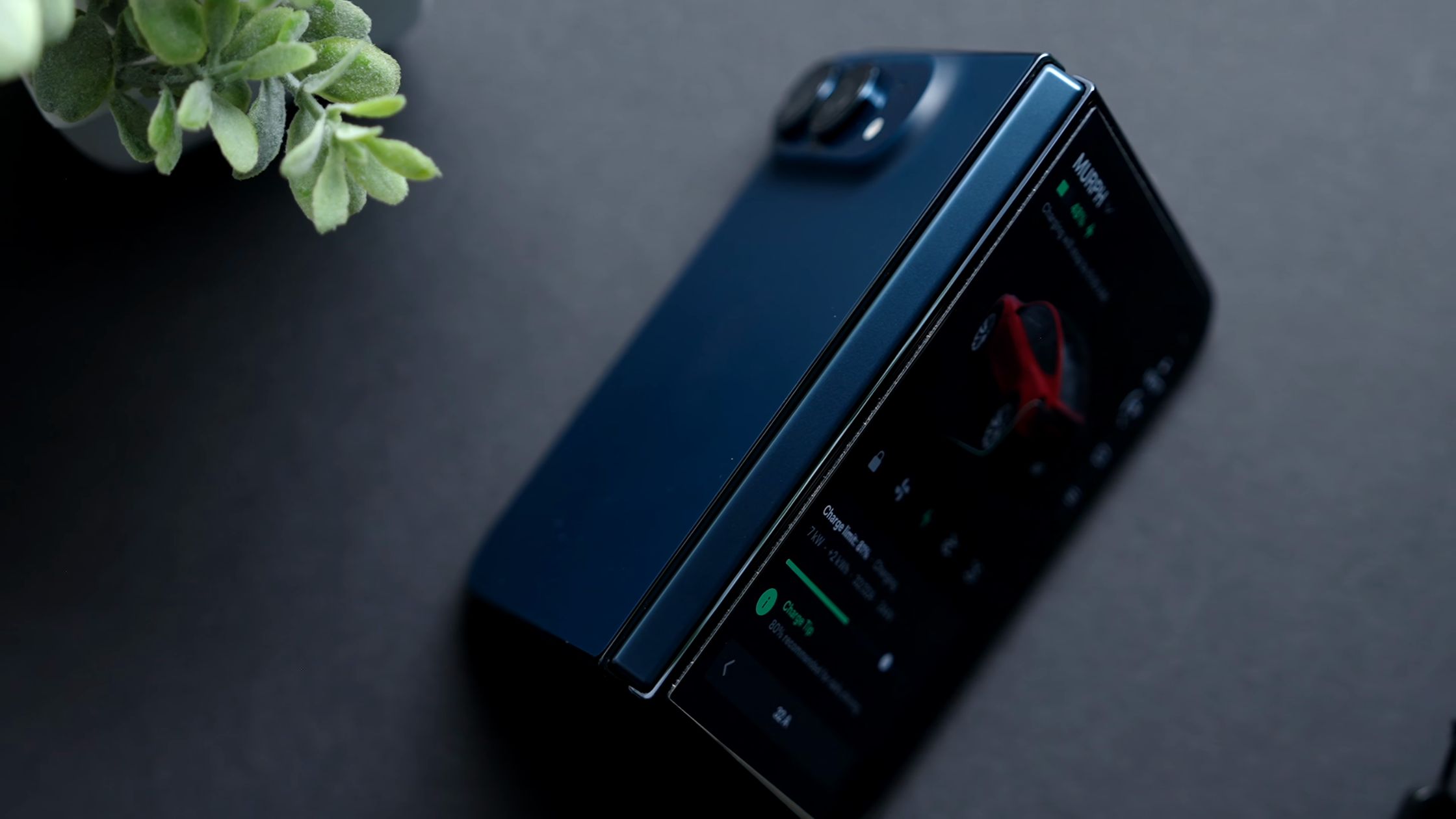
    The iPhone Duo standing partly folded with its hinge visible.
    A side view of the iPhone Duo’s hinge and body.
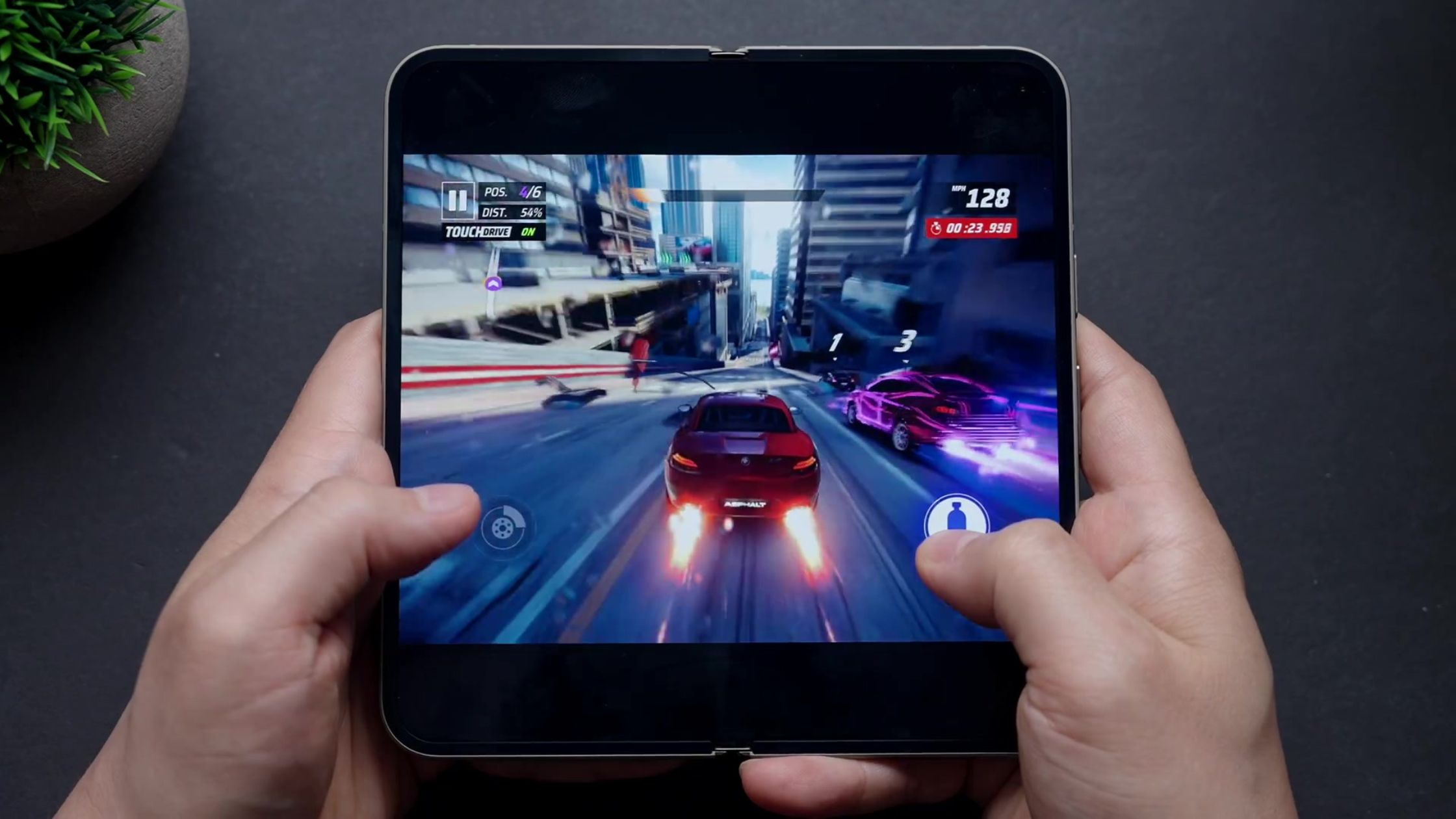
    • Unfolded use requires two hands: Opening the Duo makes it thinner and more comfortable—closer to a mini iPad—but it forces a two-handed grip. That works great when sitting on a train or couch, but it’s frustrating when you’re walking or trying to check something quickly on the move.
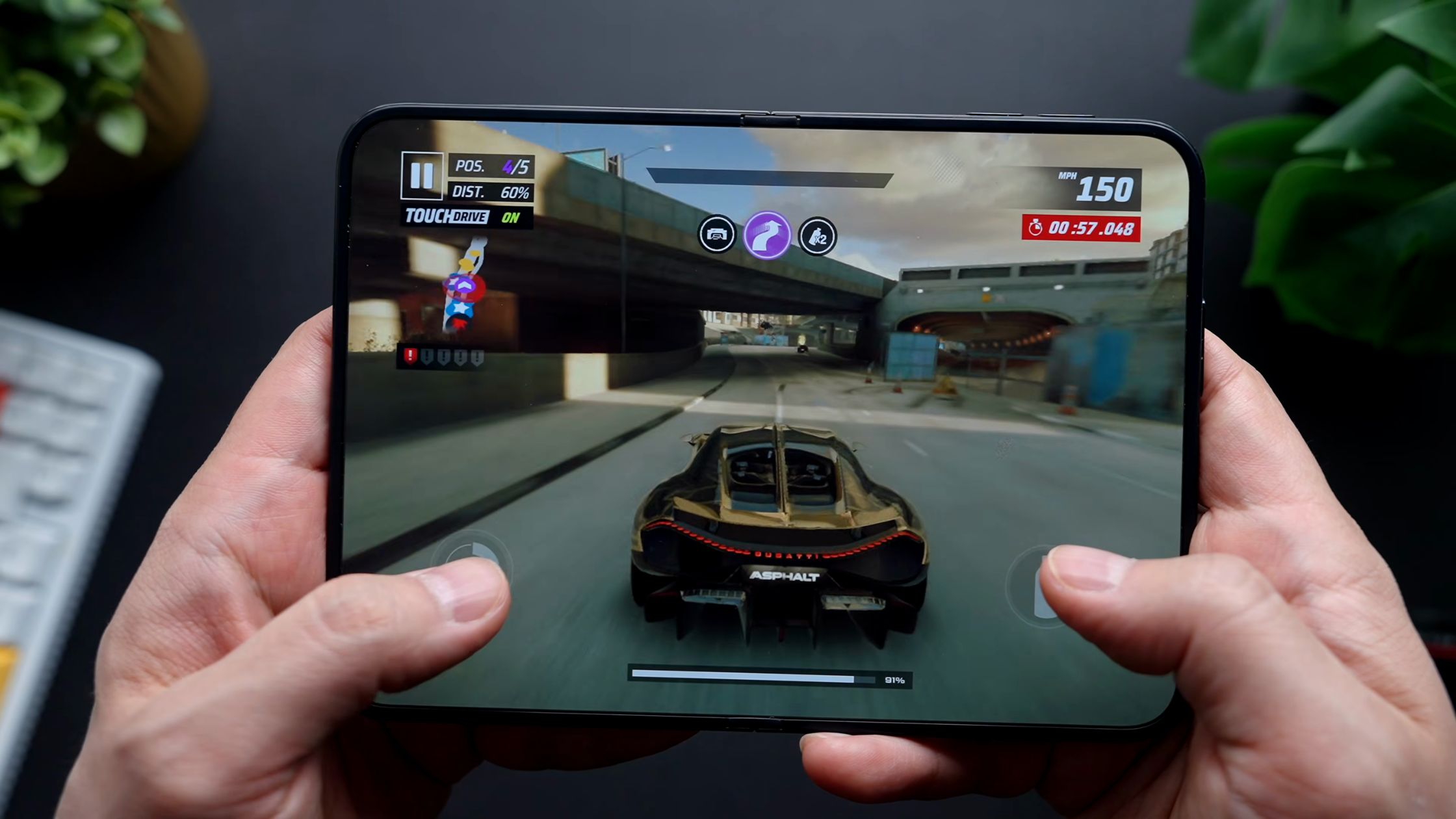
    Two hands holding the unfolded iPhone Duo while a racing game plays.
    Playing a racing game on the unfolded iPhone Duo.

    Camera Quality: Noticeable Dip in Low Light

    To keep the foldable form factor manageable, Apple had to make a few hardware compromises, starting with the cameras.
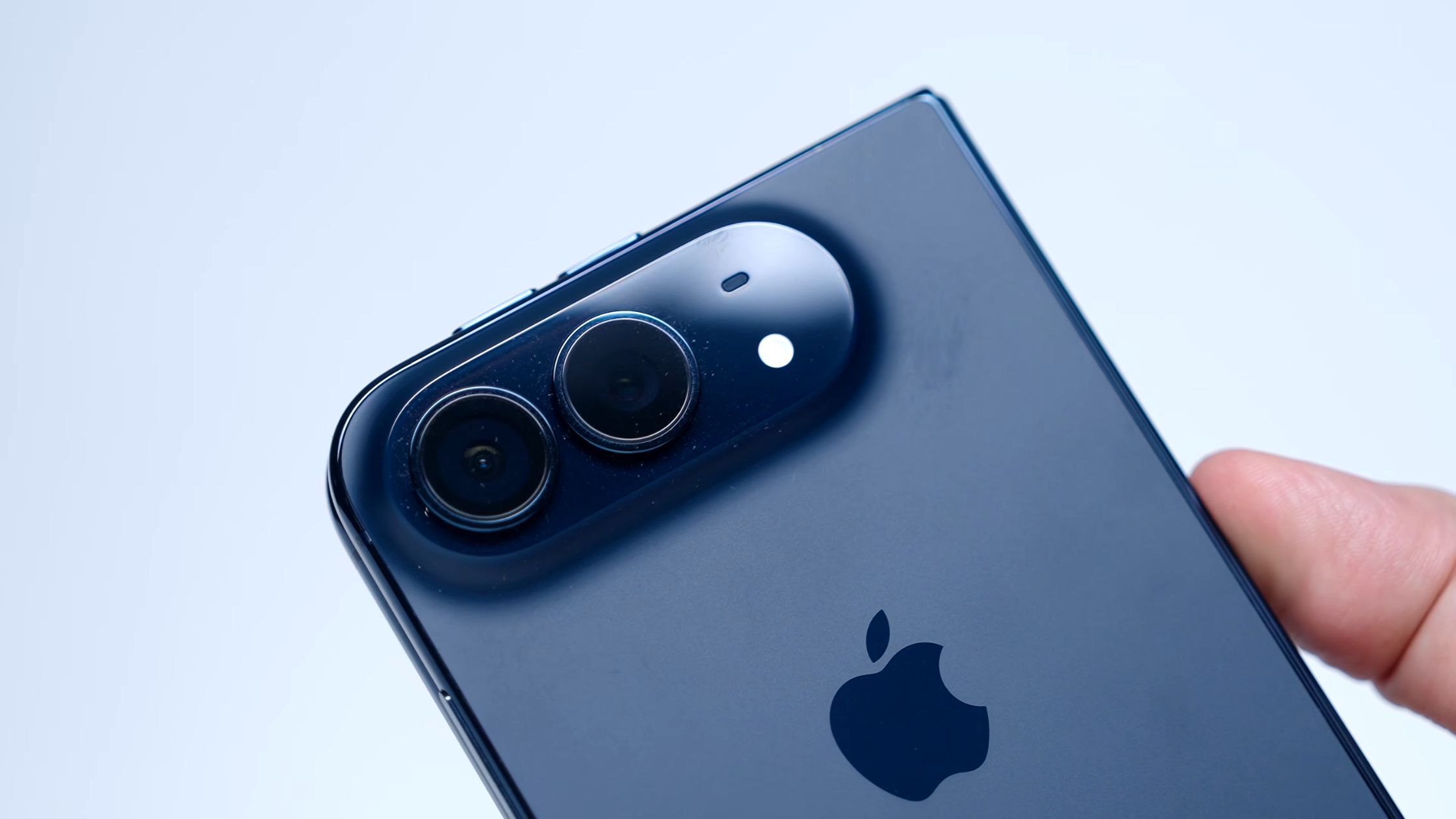
    A close-up of the two lenses on the dark blue iPhone Duo.
    The iPhone Duo’s rear cameras.

    The iPhone Duo features a 48 MP main camera, though the sensor is noticeably smaller than the one inside the iPhone 18 Pro. In bright daylight, photos look sharp and closely match the 18 Pro. Once the lighting drops, however, image noise creeps in quickly, and shooting in the dark becomes rough. It is a decent camera system for a foldable, but clearly a step down from Apple’s flagship slab phones.
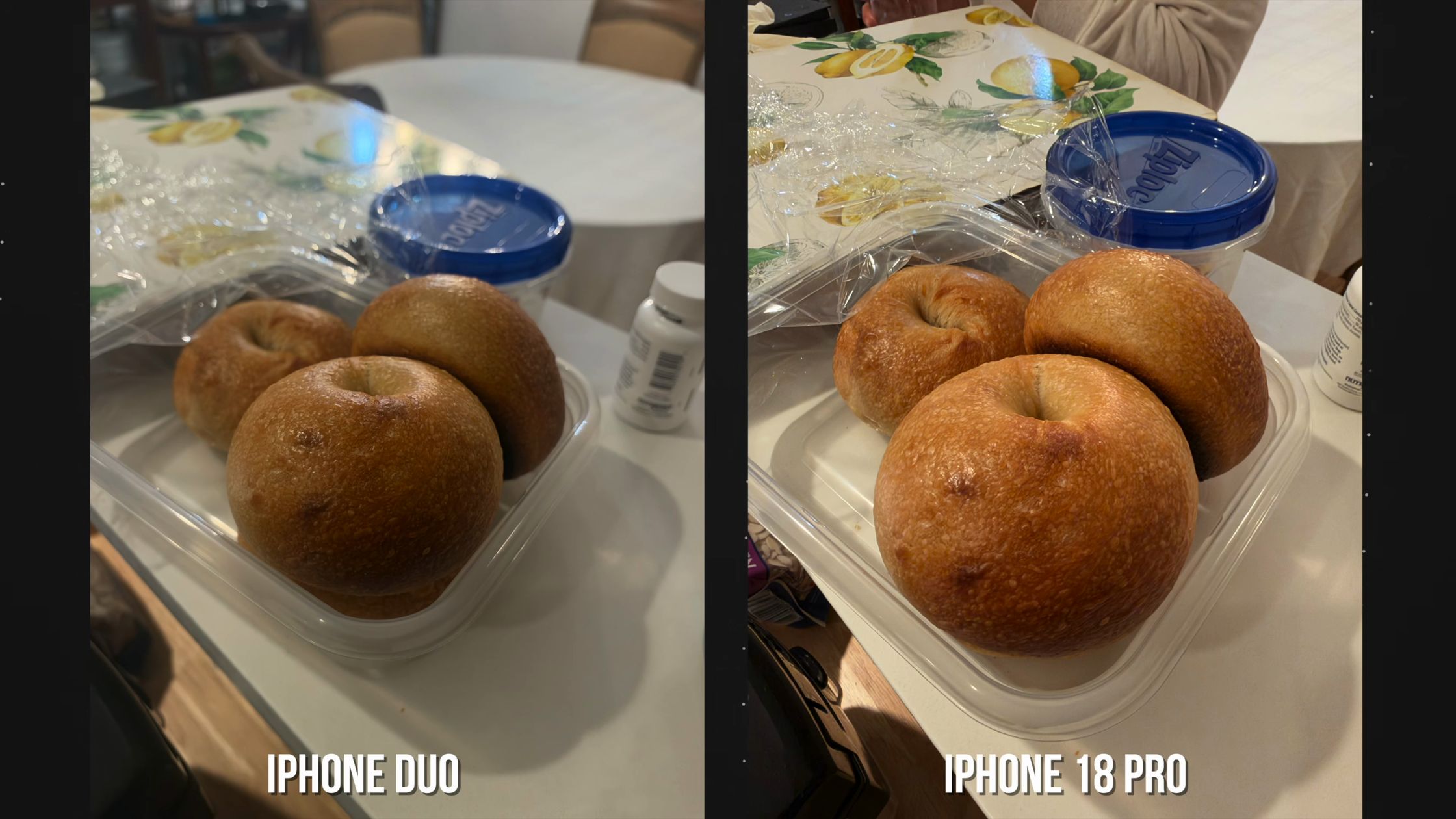
    Side-by-side indoor photos labeled iPhone Duo on the left and iPhone 18 Pro on the right.
    Indoor photo comparison with the iPhone Duo on the left and iPhone 18 Pro on the right.

    Display and App Optimization: Too Much Wasted Space

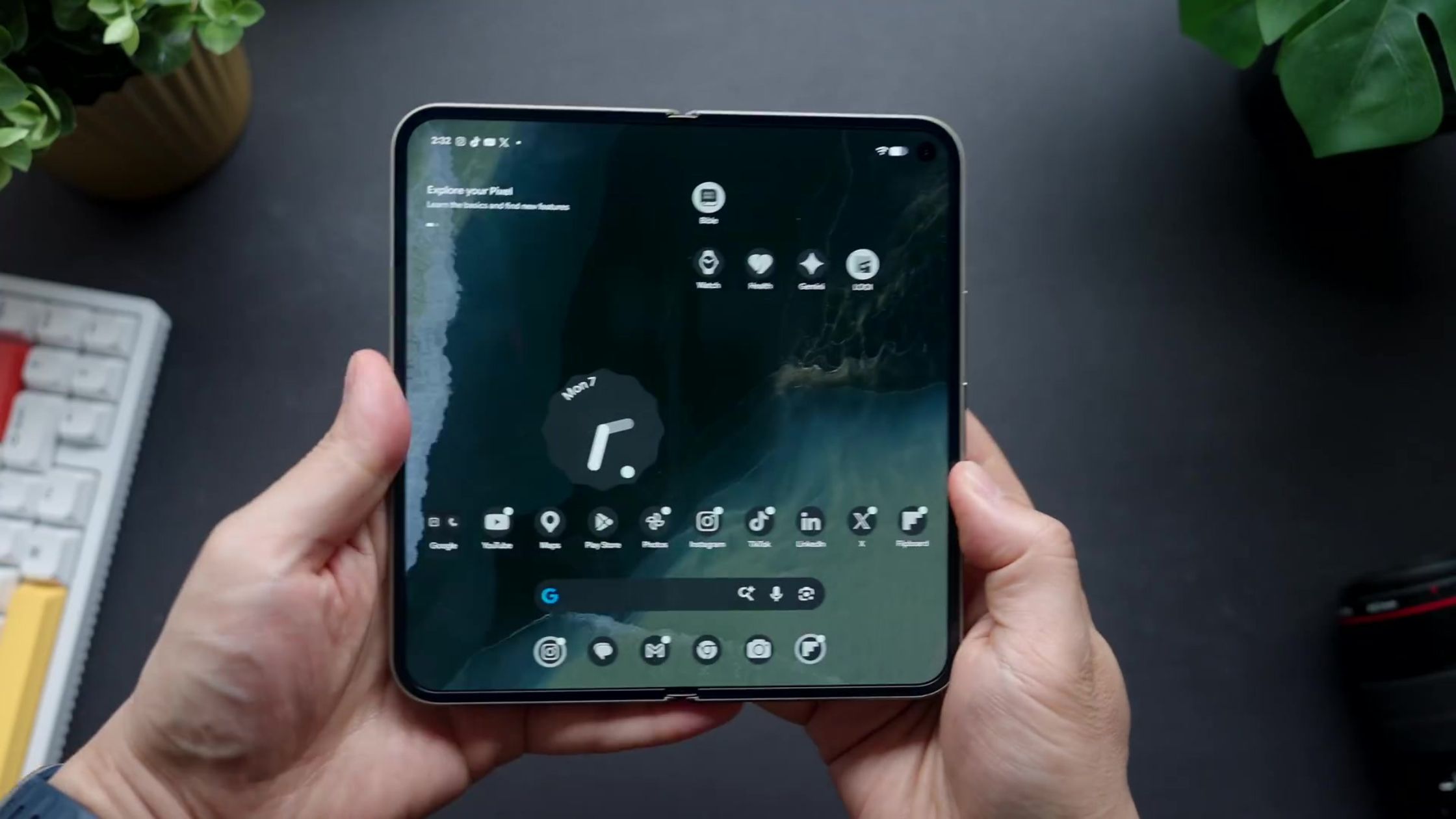
    Because the iPhone Duo uses a wider aspect ratio, Apple adjusted parts of iOS—including moving the dock to the side when folded, where you are capped at just four apps despite having extra room.
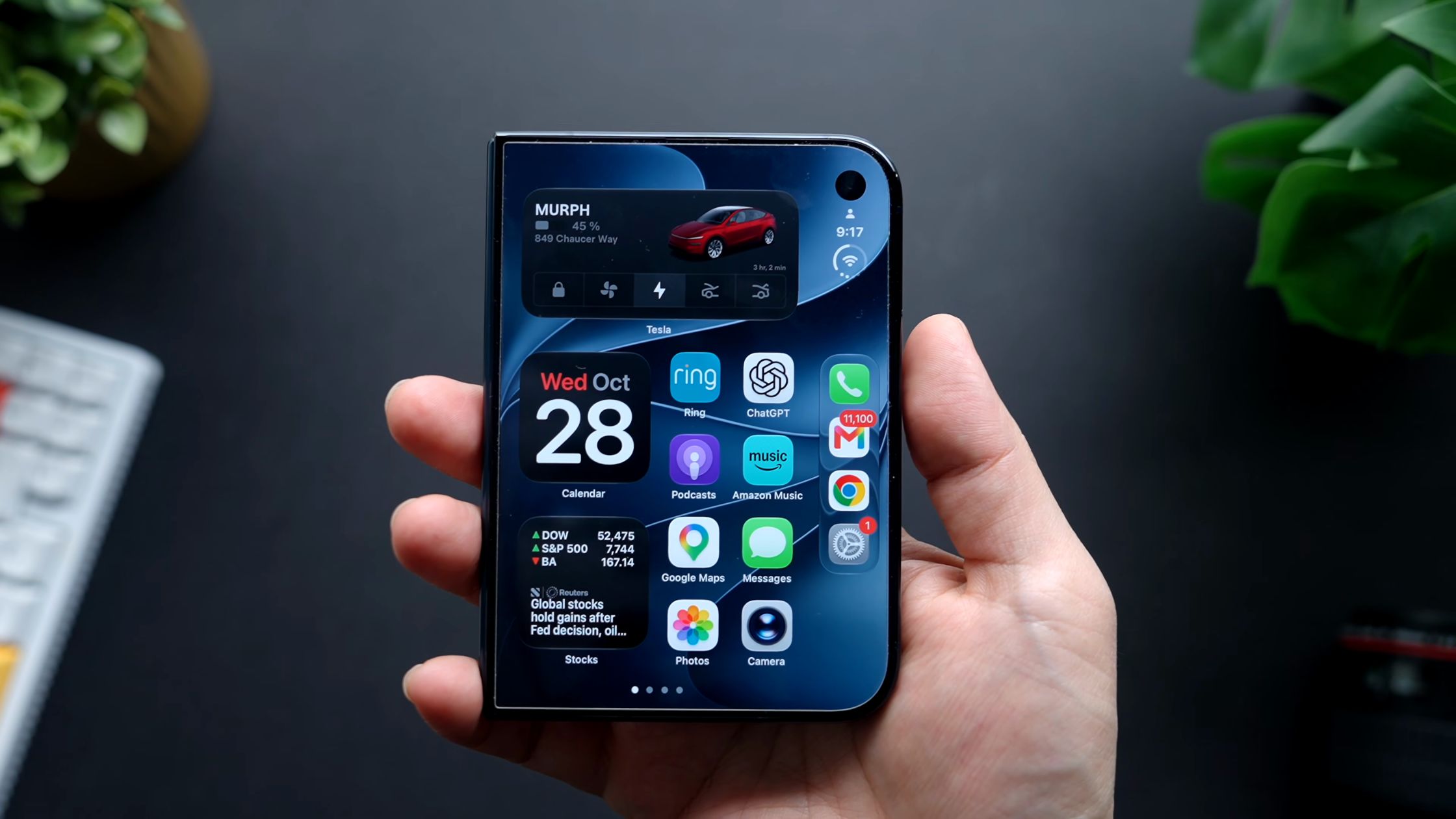
    An iPhone Duo cover screen showing widgets and app icons.
    The cover-screen app layout.

    More annoying is how everyday apps behave on both screens:

    • Unoptimized apps leave blank space: While apps like Threads take advantage of the wider layout, plenty of third-party apps leave large, awkward empty areas on the right side of the screen.
    • Vertical video doesn’t fit: Platforms built around 9:16 vertical video—like TikTok and Instagram—leave massive black bars on both the cover display and the unfolded inner screen, even when rotated 90 degrees.
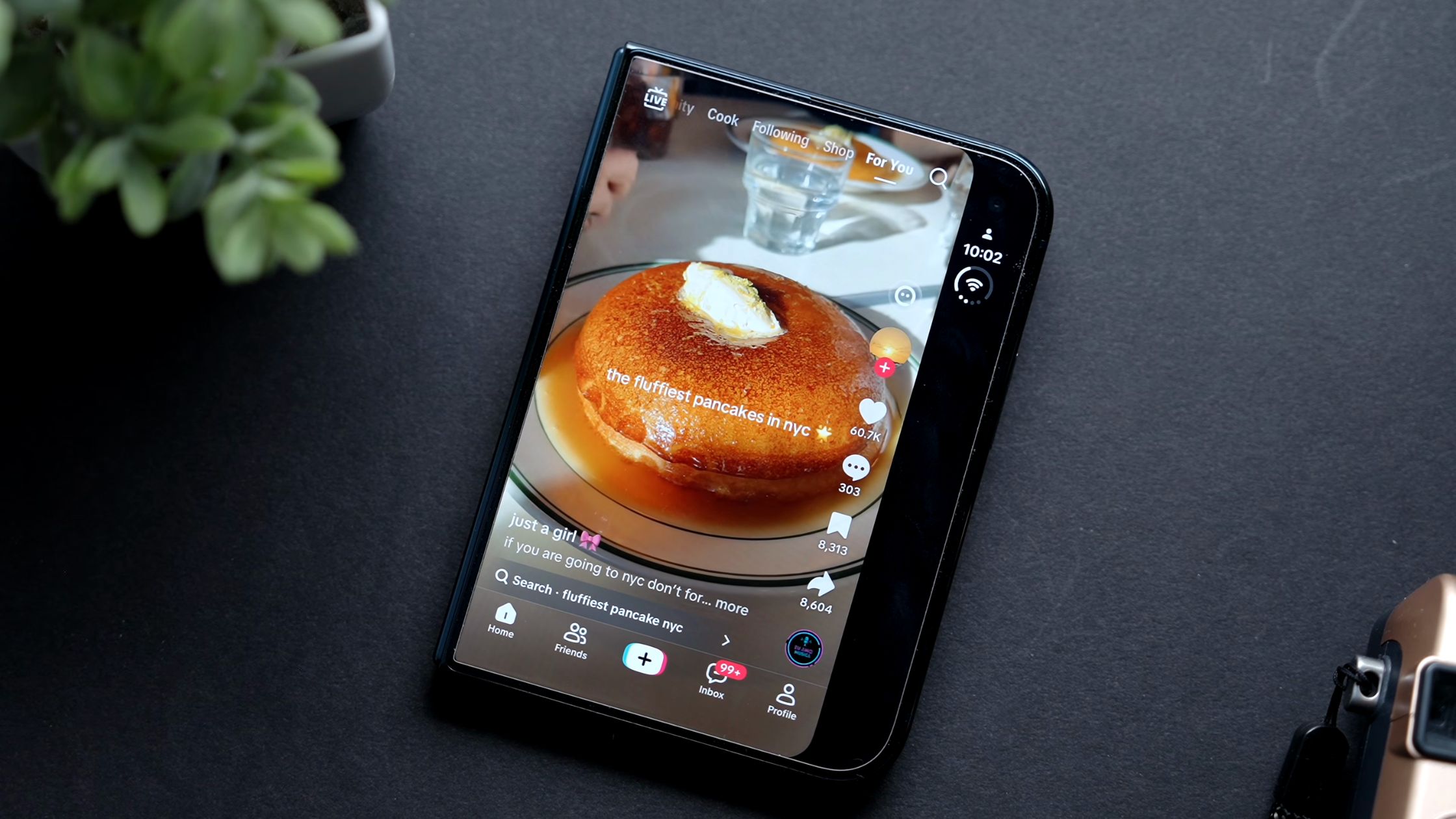
    A vertical food video playing on the closed iPhone Duo.
    Vertical video on the cover display.

    Instead of getting an immersive, edge-to-edge viewing experience, you spend a lot of time staring at unused screen real estate.

    Everyday Friction: No Face ID and the “Unfolding Tax”

    The biggest reason I’m done with the iPhone Duo comes down to daily friction. Smartphone makers have spent years removing extra steps between picking up your phone and getting things done, and the Duo feels like a step backward in two ways.

    Touch ID Replaces Face ID

    Unlike standard flagship iPhones, the iPhone Duo does not ship with Face ID. Instead, it relies on a Touch ID sensor built into the side button. (Apple is expected to roll out a software-based face unlock update soon, which may help, though it won’t replace true hardware Face ID.)
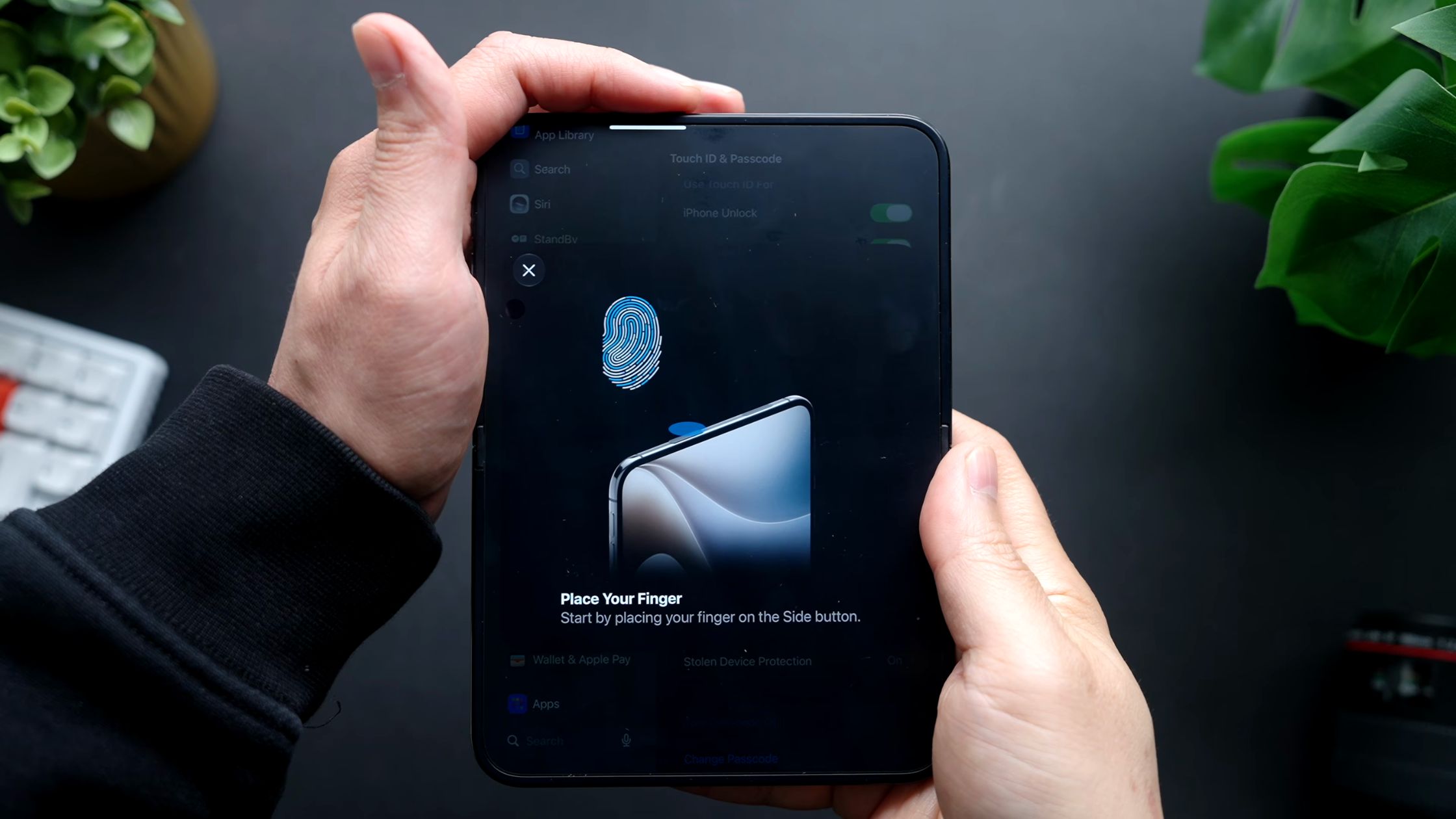
    The Touch ID setup screen showing a fingerprint and an illustration of the side button.
    Touch ID setup on the iPhone Duo.

    Going back to Touch ID after years of effortless Face ID feels clunky:

    • Because you hold a foldable in different orientations throughout the day, reaching the small side sensor isn’t always natural.
    • You have to register multiple fingers across both hands just to unlock the phone reliably.
    • Unlocking takes noticeably longer than simply glancing at the screen and swiping up.

    The Core Flaw of Foldable Phones

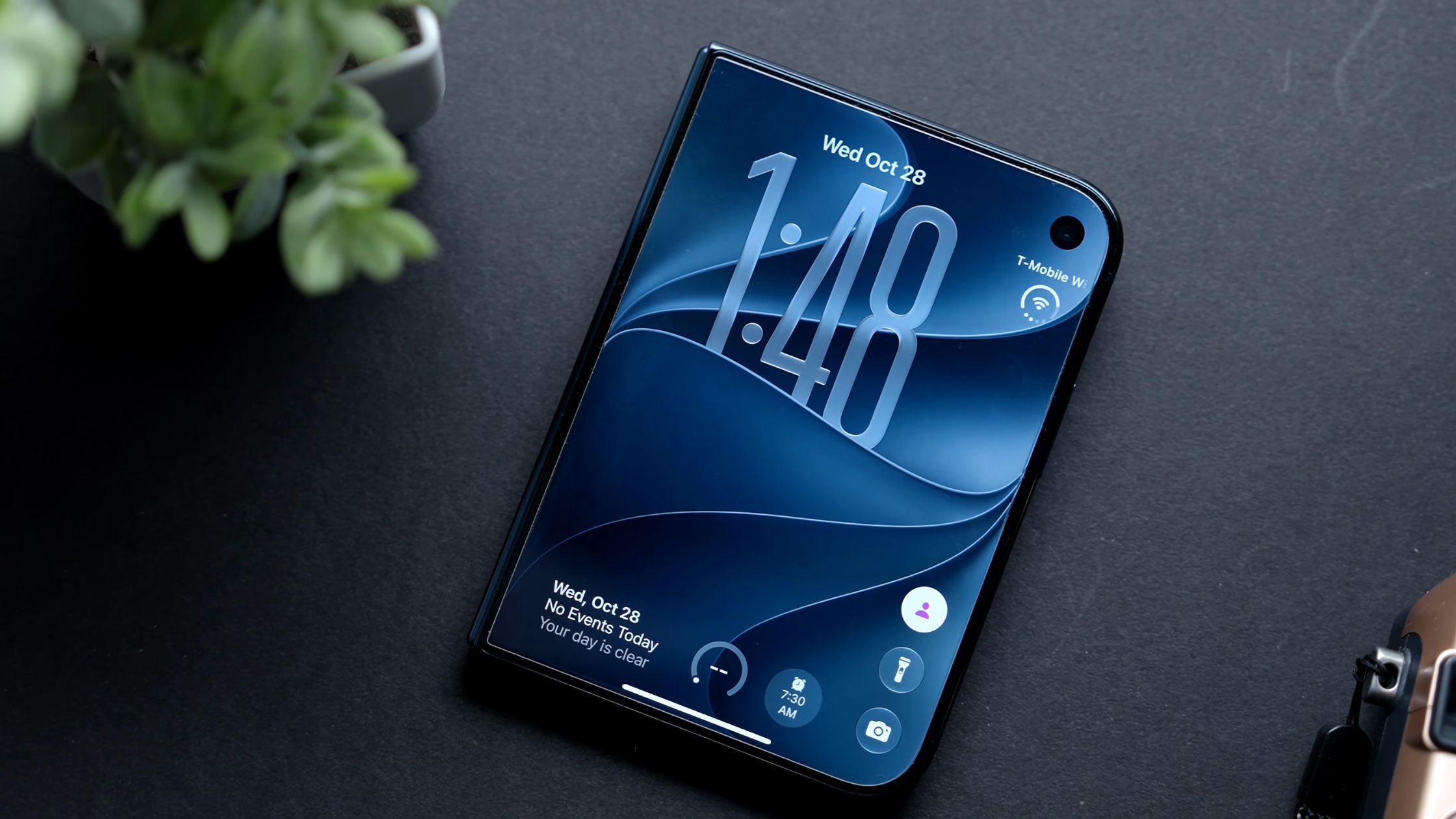
    The main draw of any foldable is the big inner display—but the price of admission is having to physically unfold the device every time you want to use it. Having to pause, authenticate with Touch ID, unfold the screen, and adjust your grip adds real friction to quick, everyday tasks.
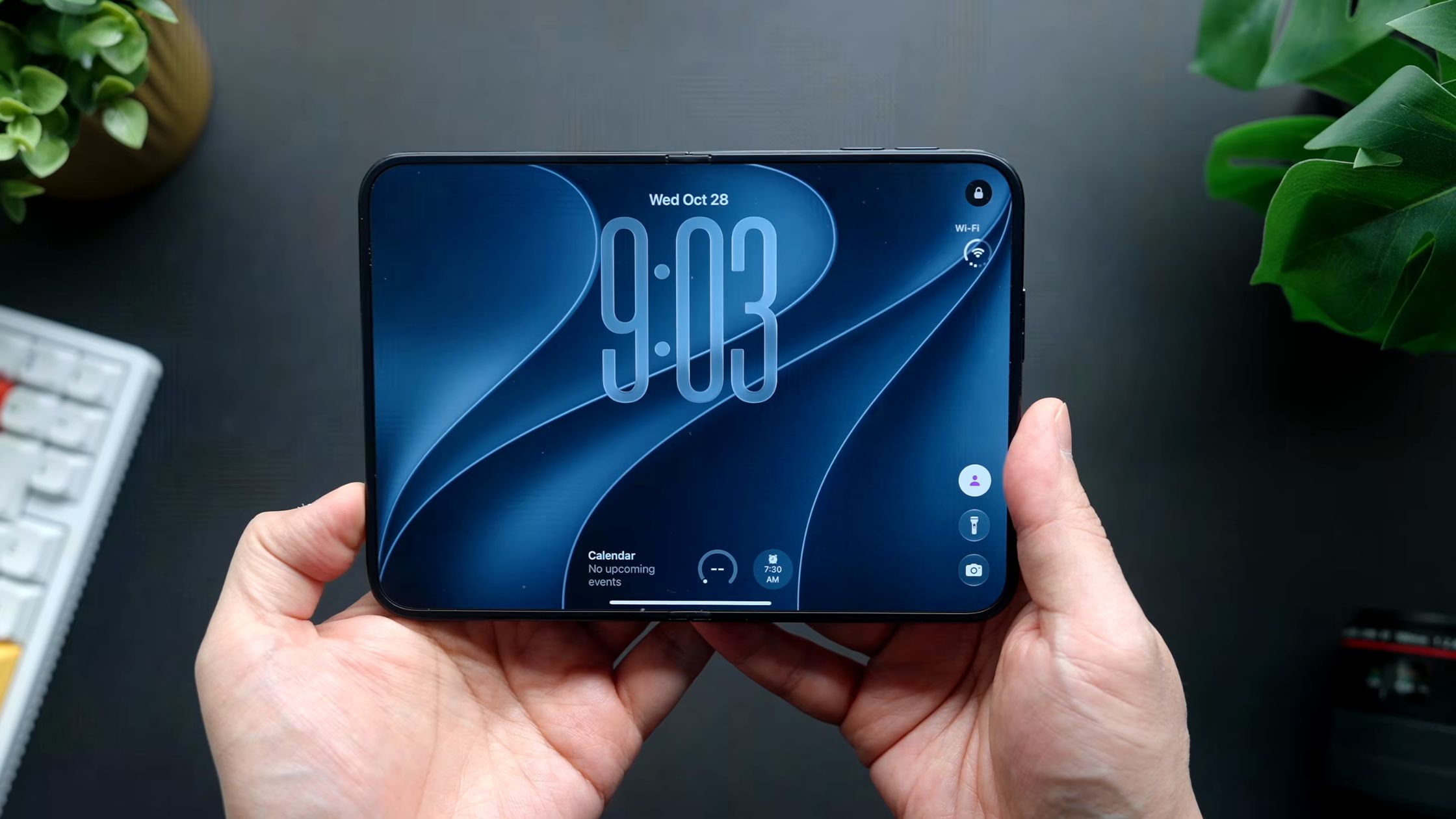
    The open iPhone Duo showing the lock screen across its inner display.
    The iPhone Duo’s unfolded display.

    That extra effort makes sense if the inner screen delivers an experience you simply cannot get on a regular phone. In practice, though, most daily tasks aren’t dramatically better enough to justify the hassle—which is why most foldable owners default to using the smaller outer screen most of the time.


    iPhone Duo: Pros and Cons

    ProsCons
    Premium, durable Apple build qualityHeavy, wide, and tiring to hold one-handed
    Fun, mini-tablet inner screen when seatedUses side-mounted Touch ID instead of Face ID
    Strong daylight photos from the 48 MP cameraNoticeable image noise in low-light photography
    Select apps (like Threads) adapt well to the wider screenLarge black bars on 9:16 vertical videos (TikTok, Instagram)
    Starting price of $2,000+ is tough to justify

    Price and Verdict: Should You Buy the iPhone Duo?

    Starting at $2,000+, the iPhone Duo asks you to pay a steep premium while compromising on comfort, low-light cameras, and fast unlocking—only to spend most of your day using a cramped cover screen anyway.
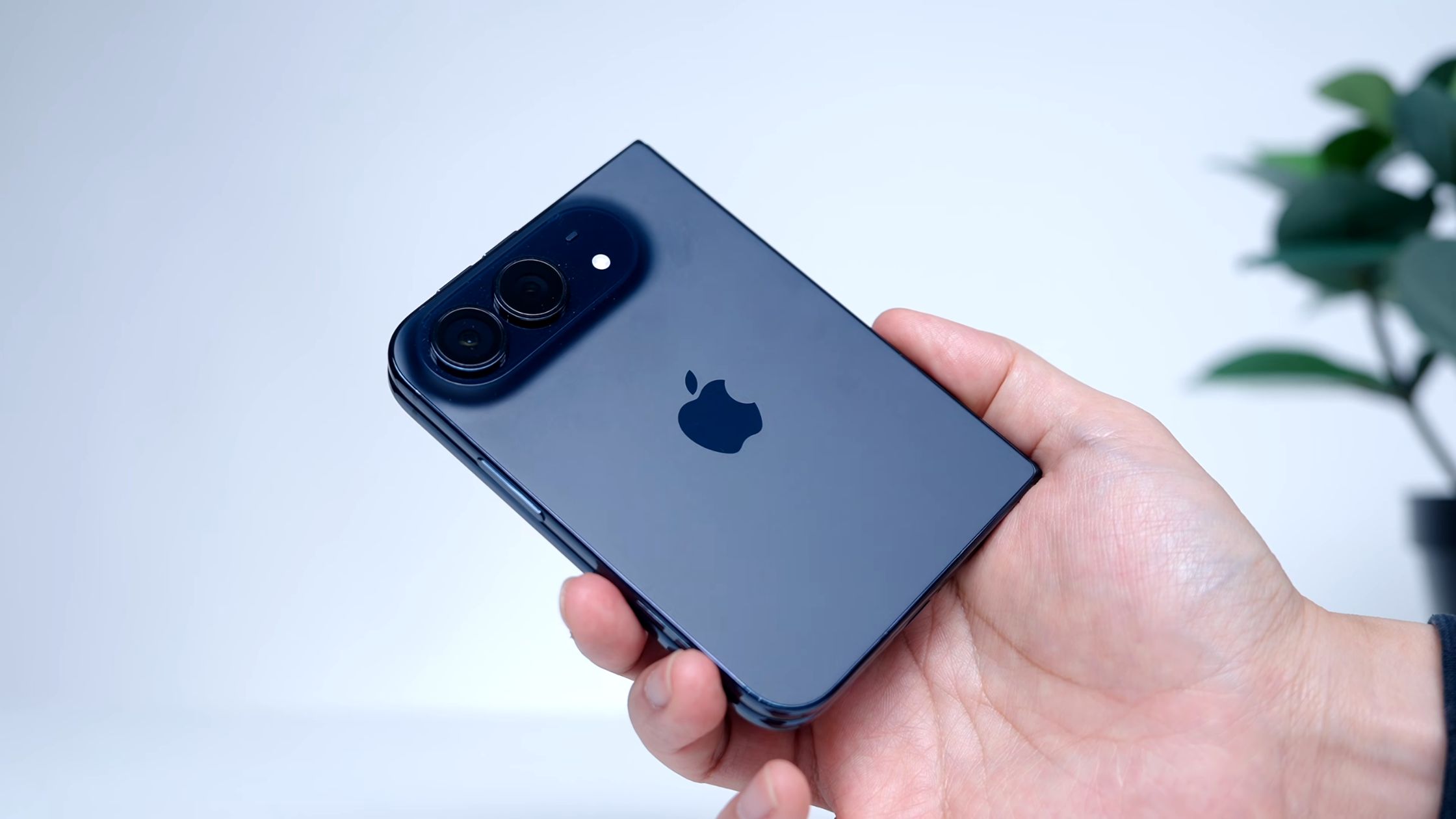
    A hand holding the closed blue iPhone Duo with the rear cameras facing up.
    The iPhone Duo viewed from the back.

    For most people, convenience, speed, and familiarity beat having a larger display locked behind extra steps. Unless you specifically want a pocketable mini-tablet for stationary multitasking, the iPhone 18 Pro (or the ultra-light iPhone Air) is the smarter, easier phone to live with every day.
  • Google Pixel 11 Pro Fold Review — Is It Worth $1,899?

    Google Pixel 11 Pro Fold Review — Is It Worth $1,899?

    Are you looking for a foldable that feels like a regular phone when you’re using it closed? After spending a week with the Google Pixel 11 Pro Fold, I was surprised by how much I liked the cover screen. I could use it for quick tasks without feeling like I had to open the phone every time. When I did open it, running two apps side by side was the feature I enjoyed most. But would I spend $1,899 to get it?

    What’s in the box

    • Google Pixel 11 Pro Fold
    • USB-C charging cable
    • SIM ejector tool
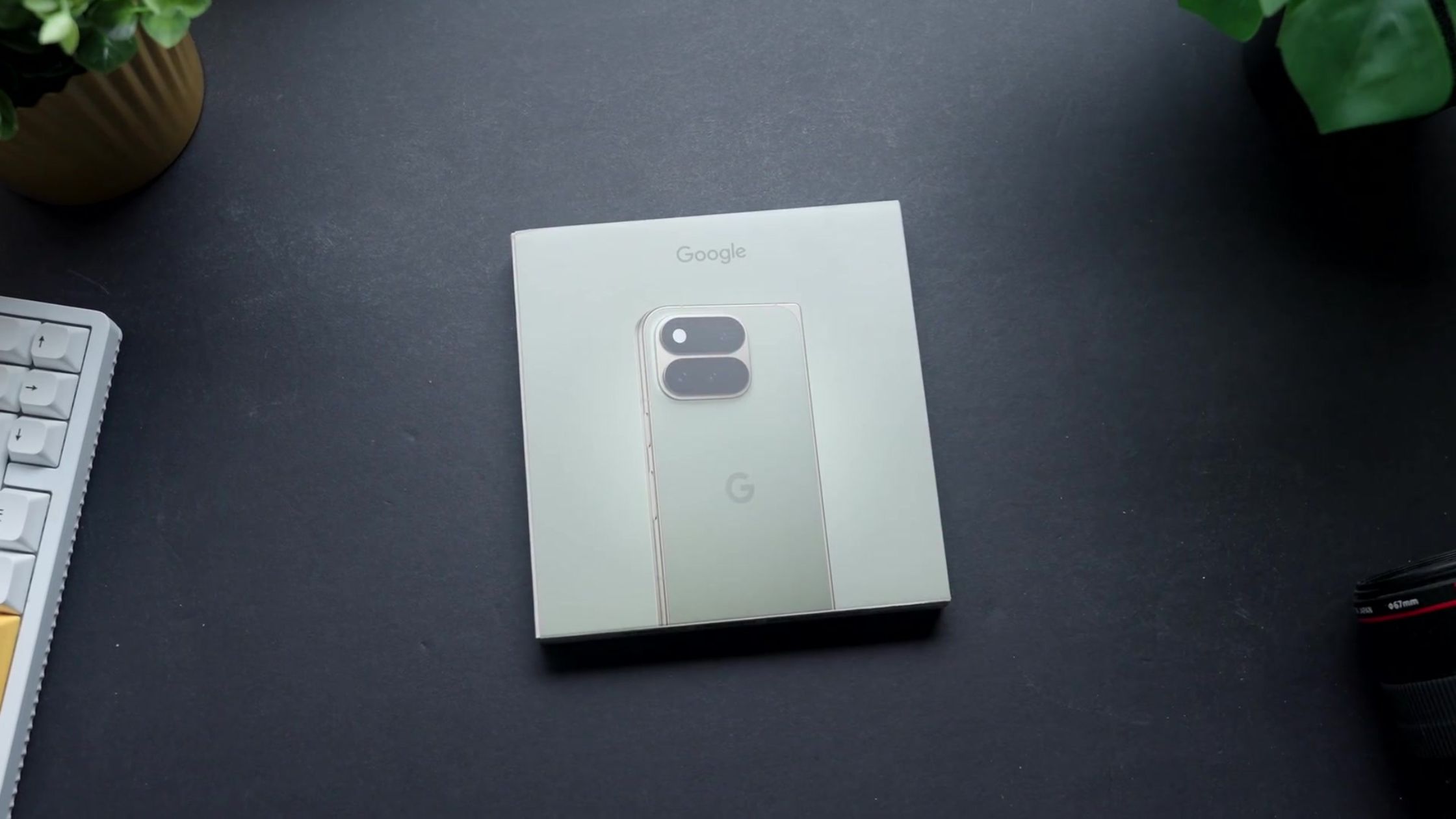
    Closed Google Pixel 11 Pro Fold retail box
    The Pixel 11 Pro Fold retail box.

    Design and feel

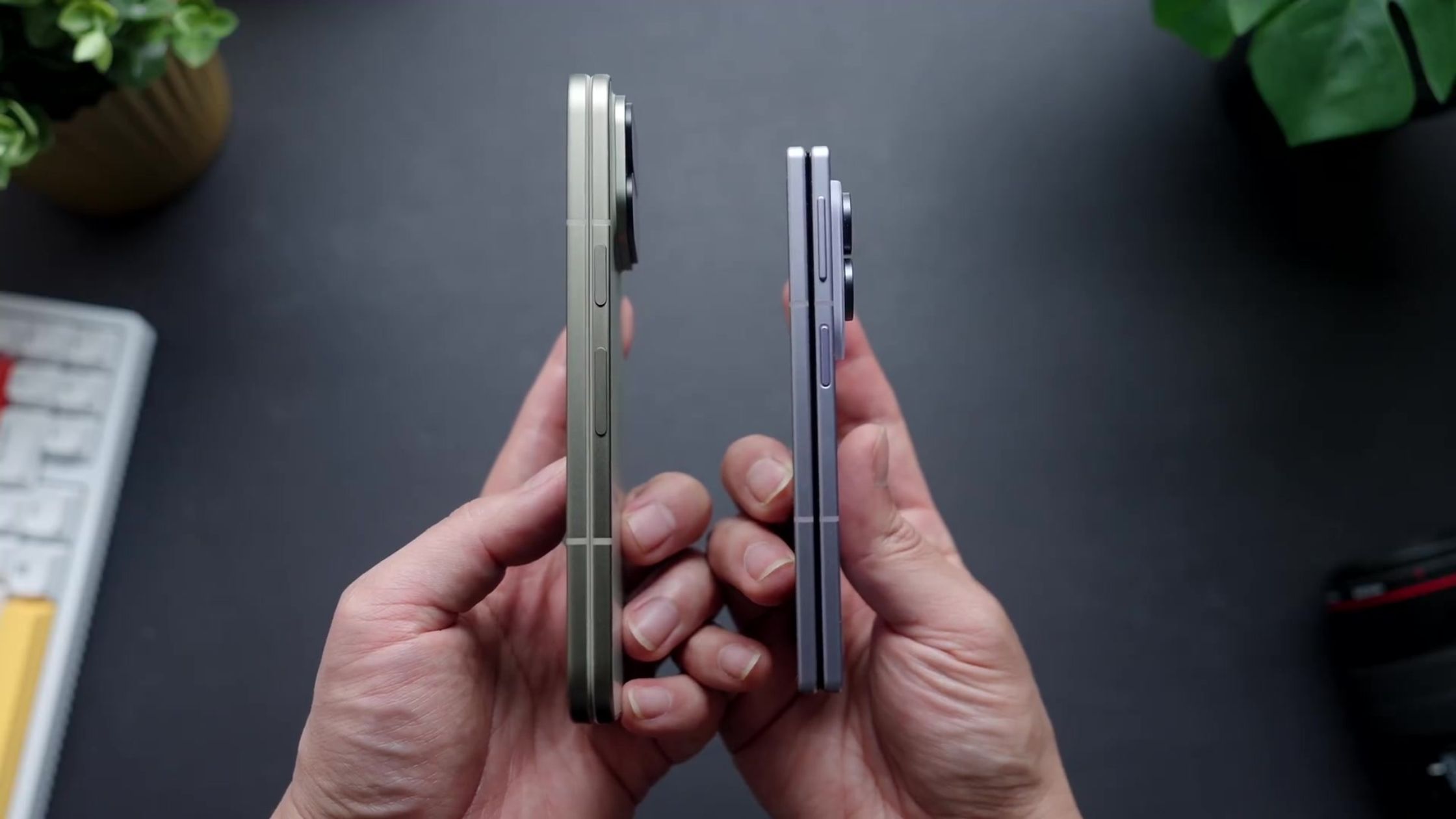
    The Pixel 11 Pro Fold looks familiar if you’ve seen the Pixel 10 Pro Fold, but I noticed the difference in weight when I carried it. I could still slip it into my pocket without much trouble. Once I put it next to the Galaxy Z Fold 8, though, the Pixel felt bulkier. I’d like to see Google make it thinner again next year.

    Side profiles of the closed Pixel 11 Pro Fold and Galaxy Z Fold 8
    The Pixel 11 Pro Fold on the left and the Galaxy Z Fold 8 on the right.

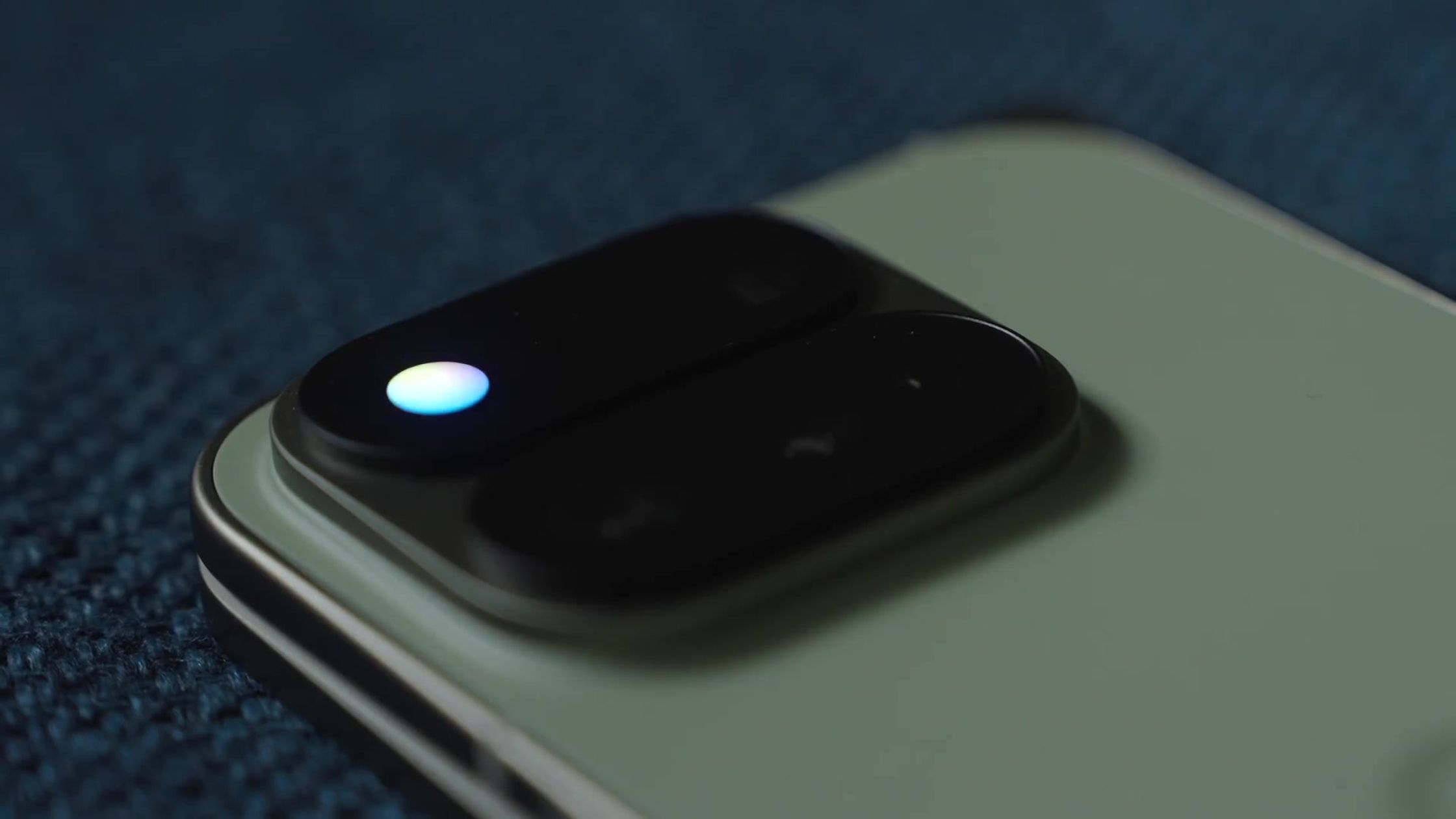
    Google kept IP68 dust and water resistance and added a small light around the rear camera flash called HiLight. It can light up for calls from favorite contacts or when you’re using Gemini hands-free. I’d find it more useful if I could choose which notifications I want it to show.

    Blue HiLight glowing beside the Pixel 11 Pro Fold’s rear cameras
    HiLight illuminated on the rear camera bar.

    Displays and multitasking

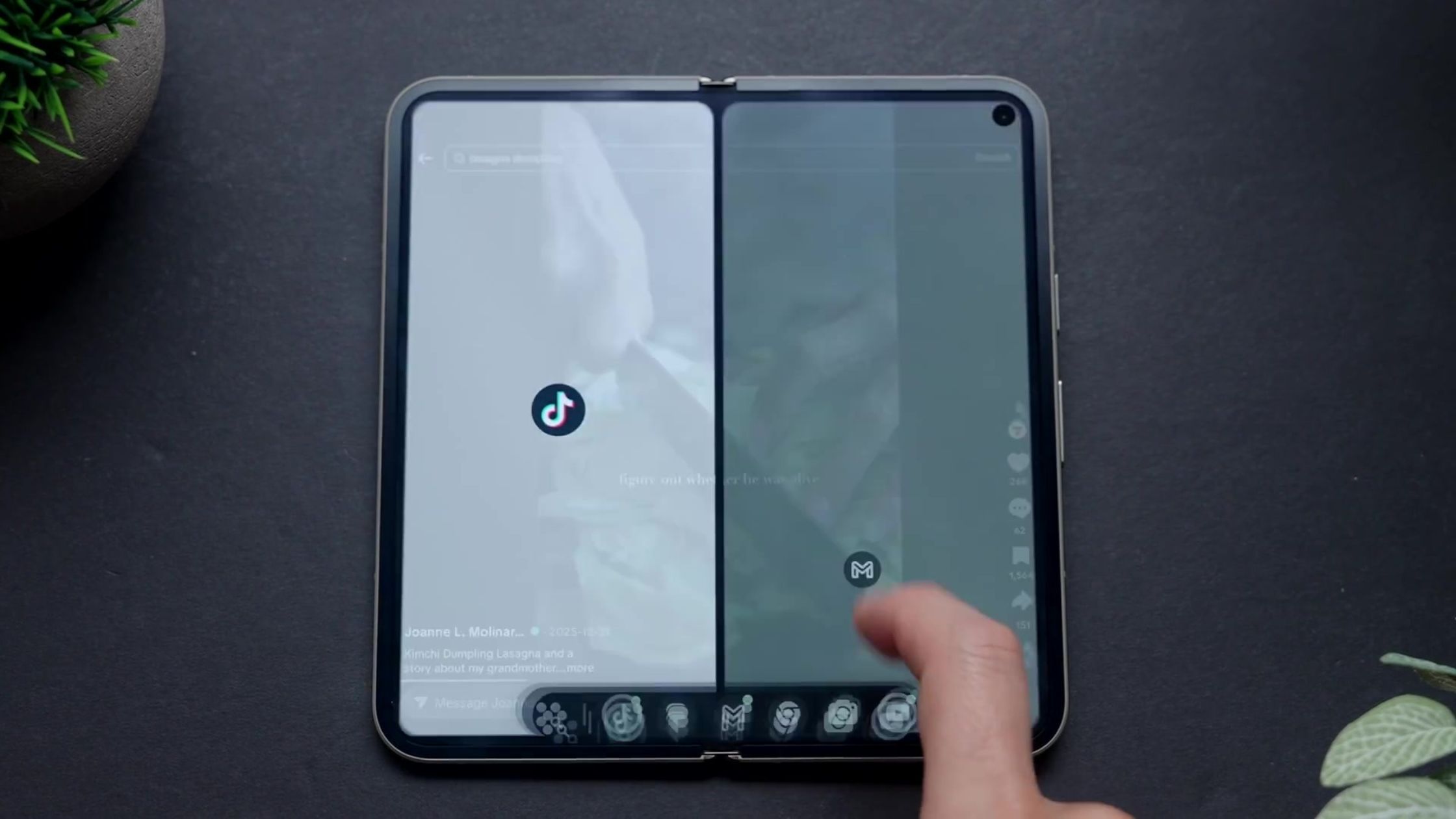
    I liked using the 6.5-inch cover display because it’s close to the shape of a regular phone screen. Scrolling and moving between apps felt familiar. Inside, the 8-inch display is where I had the most fun. I could drag an app to one side and use another app next to it. Each app had enough room to use comfortably, which made split-screen something I could see myself using regularly.

    Unfolded Pixel 11 Pro Fold opening two apps side by side
    The inner screen as two apps open side by side.

    I could still see the crease when I tilted the phone, and I felt it when I ran my finger across the middle. Reflections were noticeable too. Once I had two apps open or started playing a game, the crease bothered me less.

    Camera quality

    The new 48 MP main camera is one of my favorite upgrades. The photos looked more natural to me, and I could see an improvement in portrait shots, especially around the edges of the person in focus. You also get an ultrawide and a 5× telephoto, so there’s a good range of options for different shots.

    Lakeside homes and a cloudy sky reflected in the water
    A lakeside photo sample.

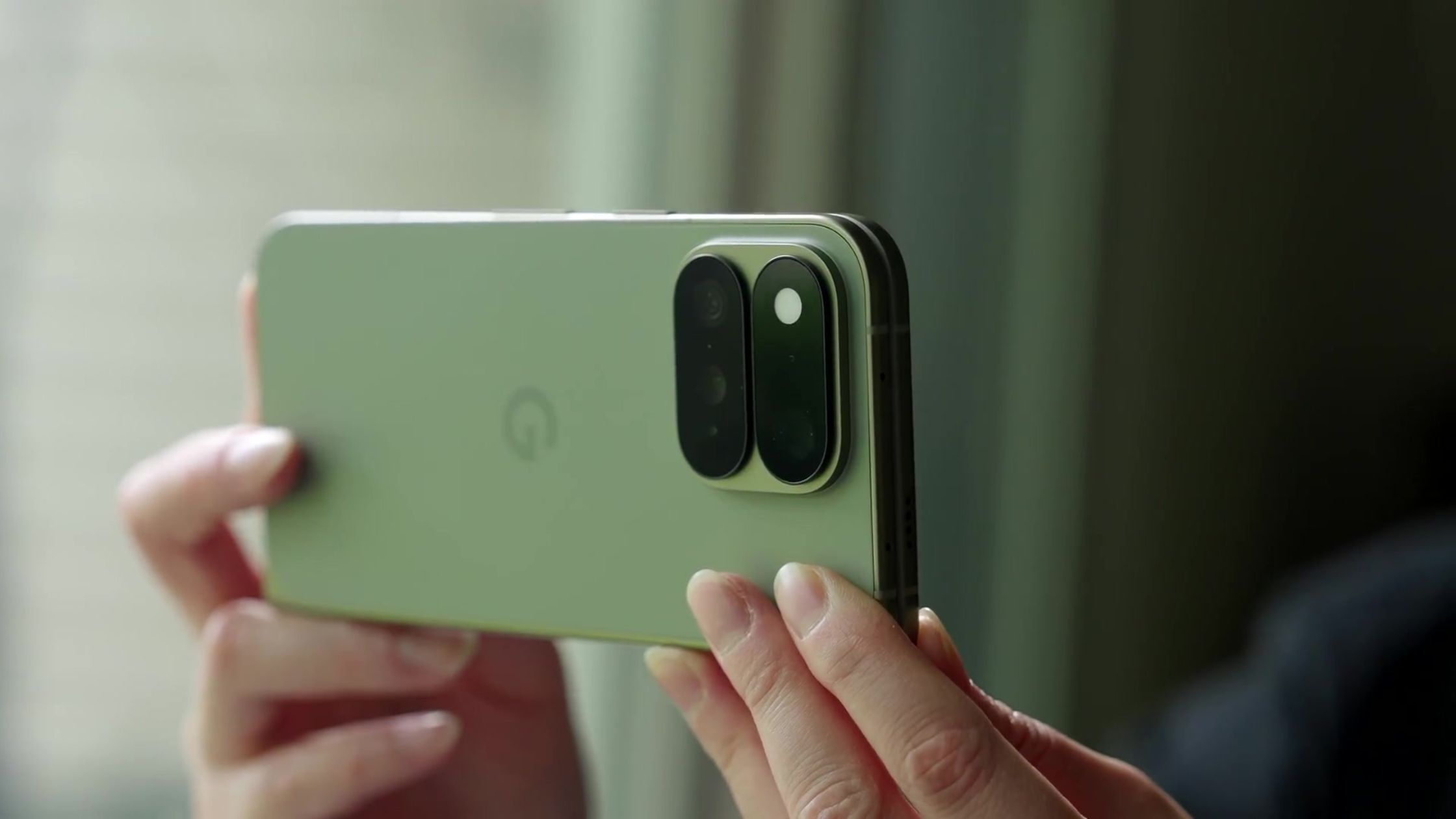
    Of the three ways to take a selfie, I’d use the inner camera last. The cover camera gave better results, but my favorite was using the main rear camera and framing the shot on the cover screen. It’s a little awkward to hold the phone open that way, but I’d do it again for a photo I wanted to keep.

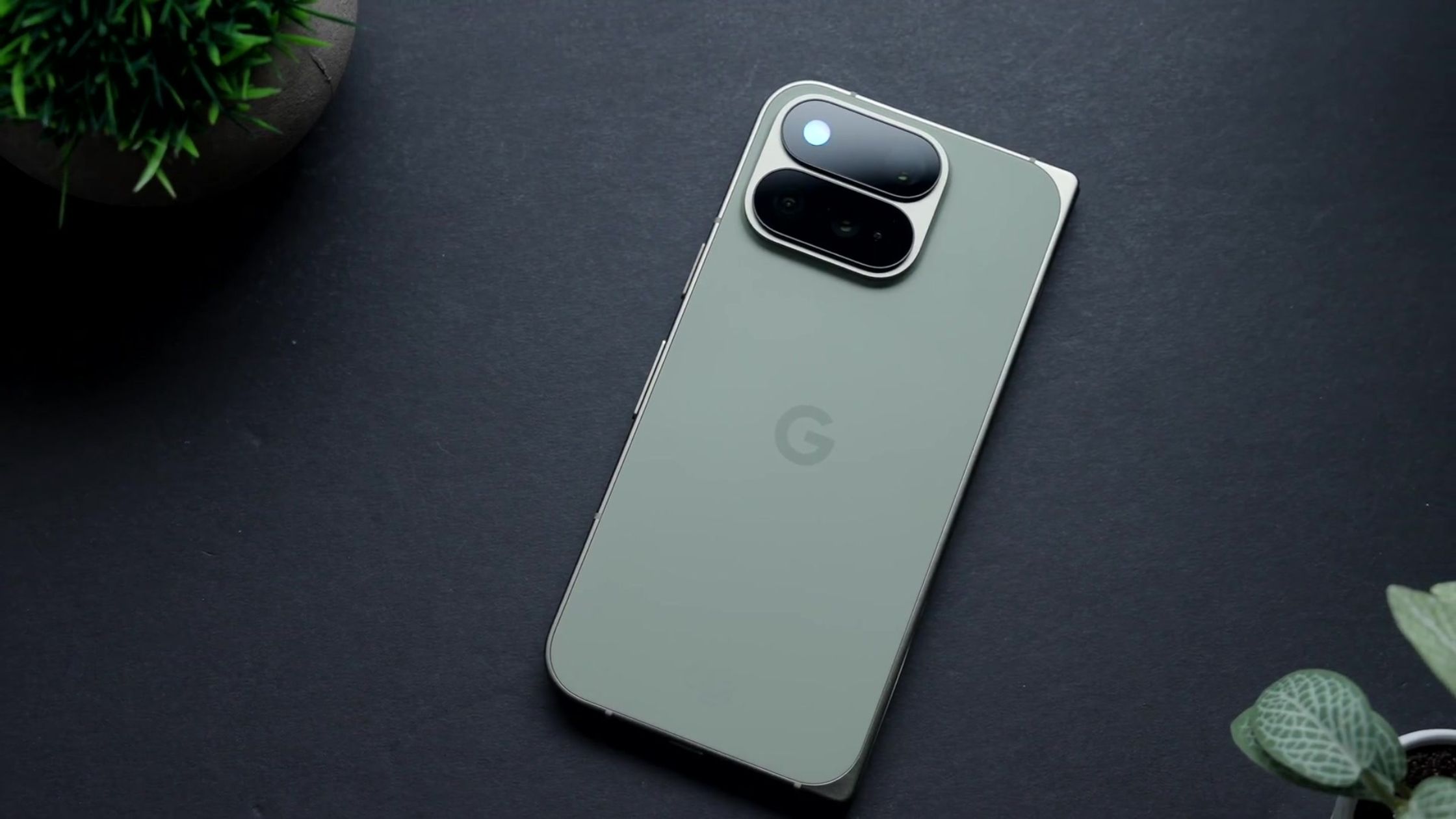
    Close-up of the rear cameras on the Olive Pixel 11 Pro Fold
    The Pixel 11 Pro Fold’s rear cameras.

    I was happier with the photos than the video. The phone shoots up to 4K at 60 frames per second, but the footage looked close to what I’d expect from last year’s model.

    Performance and battery life

    The Tensor G6 and 16 GB of RAM kept things running smoothly. Apps opened quickly, and I didn’t notice any stuttering when moving around Android 17. I also enjoyed playing games on the inner screen. The extra room made a bigger difference to me than the faster chip did.

    A racing game on the unfolded Pixel 11 Pro Fold
    A racing game on the 8-inch inner screen.

    The 4,806 mAh battery is smaller than the one in the Pixel 10 Pro Fold. I’d put battery life at around a day based on my week with the phone. That’s solid for a foldable, especially if you plan to use the inner display often.

    Pros and cons

    Pros

    • Lighter build that’s easier to carry
    • Cover screen that feels familiar for everyday use
    • Plenty of room to run two apps side by side
    • More natural photos from the main camera

    Cons

    • The inner screen is reflective, and I could still see and feel the crease
    • Video quality feels similar to last year’s
    • The $1,899 starting price is hard to justify for casual use

    How it compares

    SpecificationPixel 11 Pro FoldPixel 10 Pro FoldSamsung Galaxy Z Fold 8Pixel 11
    Outer or only display6.5 inches6.4 inches5.5 inches6.3 inches
    Inner display8 inches8 inches7.6 inches—
    Weight239 g258 g201 g197 g
    Body thickness10.1 mm10.8 mm9.7 mm8.6 mm
    Typical battery capacity4,806 mAh5,015 mAh4,800 mAh4,985 mAh
    ProcessorTensor G6Tensor G5Snapdragon 8 Elite Gen 5 for GalaxyTensor G6
    Main rear camera48 MP48 MP50 MP48 MP
    Dedicated telephoto5× optical5× optical—5× optical
    Highest rear video resolution4K at 60 fps4K at 60 fps8K at 30 fps4K at 60 fps
    Starting U.S. list price$1,899$1,799$1,899.99$899

    Thickness is listed with the foldables closed.

    Price and verdict

    I enjoyed using the Pixel 11 Pro Fold, but I kept coming back to the price. It launched at $1,899 in the U.S., a full $1,000 more than the regular Pixel 11. If I spent a lot of time reviewing documents, taking notes, or using two apps together on my phone, I could see myself paying for the extra space.

    Home screen visible across the Pixel 11 Pro Fold’s unfolded display
    The Pixel 11 Pro Fold opened to its home screen.

    Would I buy it for everyday use? I’d get the regular Pixel 11. I liked having the big screen, and I’d pay the difference only if I had a reason to open it every day.